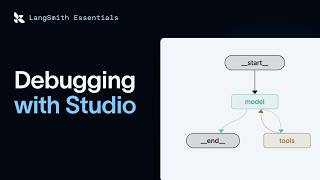
看影片(在新分頁開啟原站)連到 YouTube・LangChain
摘要
示範如何使用 LangGraph Studio 重現並除錯 LangGraph 中的工具錯誤。透過檢查點(checkpoint)修改工具回傳值並分叉執行(fork),確認問題出在工具邏輯而非模型或提示詞。最後介紹如何設定中斷點(breakpoints)來暫停執行以深入分析。
This tutorial demonstrates how to use LangGraph Studio to reproduce and debug tool errors in an agent by modifying checkpoint states and forking runs to isolate defects.
摘要、重點與章節標題由語言模型整理,細節(誰說的、數字、先後)可能有誤;要引用請以原始內容為準。
重點
- Trace 只能記錄已發生的事,無法模擬「如果」情境。
- 利用檢查點修改狀態並分叉執行,可精準定位錯誤根源。
- 設定中斷點能暫停流程,協助開發者逐步除錯。
章節
依話題轉折切分,標題由 AI 產生
- 00:00What a trace can't answer
- 00:55How to start LangGraph Studio with langgraph dev
- 01:43How langgraph.json connects Studio to your agent
- 02:14Reading the agent graph in Studio
- 03:03Checkpoints and reproducing the bug live
- 03:50How to edit node state and fork a run
- 05:01What the fork tells us about the bug
- 05:35Breakpoints and interrupts in Studio
- 05:50What to measure next
提到的工具與公司
適合誰看
適合正在使用 LangGraph 開發 Agent 或需要除錯複雜工具呼叫流程的開發者。
摘要依據
- 依據
- 人工字幕
為什麼排在這裡
- 人氣
- 0.40
- 新鮮
- 0.96
在主題頁與搜尋結果裡,名次由相關、人氣、新鮮三個分數決定;這一頁沒有搜尋的關鍵字,所以沒有相關分數。排序怎麼算
相關內容
- LangGraph explained in 1 minute影片 ・ LangChain ・ 2 分鐘 ・
- LLM Observability with Langfuse: Debugging a Broken RAG Agent影片 ・ Langfuse ・ 4 分鐘 ・
- Building Semiconductor Agents at Skyworks with LangGraph + LangSmith影片 ・ LangChain ・ 3 分鐘 ・
- Human-in-the-Loop AI Agents: LangGraph + Langfuse Tracing影片 ・ Langfuse ・ 11 分鐘 ・
- LangGraph 是如何让LLM产生确定性输出的?文章 ・ luozhiyun's Blog ・
這個來源最近的內容
摘要由 AI 根據原文產生,可能有誤;完整內容請看原站。看影片(在新分頁開啟原站)