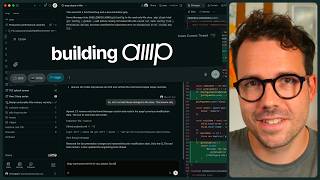
看影片(在新分頁開啟原站)連到 YouTube・Amp, Inc.
摘要
Amp 工程師 Thorsten Ball 展示如何利用 Amp 進行日常開發與維護工作。影片記錄了他從監控效能改進、修復 UI 閃爍與 Git 克隆錯誤,到將新功能推廣為實驗性功能,再到進行程式碼重構的完整流程。觀眾將看到如何透過自動代理測試、驗證修復效果、管理 Slack 反饋以及監控生產環境的發布狀態。
Thorsten Ball demonstrates his daily workflow using Amp to manage development tasks, from debugging and performance monitoring to shipping features and gathering team feedback.
摘要、重點與章節標題由語言模型整理,細節(誰說的、數字、先後)可能有誤;要引用請以原始內容為準。
重點
- Amp 工程師展示如何利用 AI 代理處理日常開發任務。
- 演示如何監控效能改進並驗證 UI 閃爍問題的修復。
- 說明如何將新功能推廣為實驗性功能並進行程式碼重構。
章節
依話題轉折切分,標題由 AI 產生
- 00:00Introduction
- 00:15Shipping and monitoring performance improvements
- 02:11Investigating an amp clone bug in Nix
- 03:51Fixing UI flicker and testing in a portal
- 05:55Starting an agent to promote Recap to an opt-in experimental feature
- 07:45Previewing the sidebar flicker fix in a portal
- 09:38Reviewing production performance canaries
- 11:45Checking in on the production fix and granting read-only log access
- 12:47Check Recap Experimental Setting Copy
- 13:39Check in on amp clone Nix fix
- 14:49Sidebar fix deployment check schedule
- 15:35Checking in on performance fix thread's log analysis
- 16:14Asking the agent for irrefutable proof of its fix
- 17:00Checking Recap experimental setting
- 18:31Testing a mechanical refactor of the CLI
- 21:48Checking amp clone nix fix agent evidence
- 23:20Checking feedback from Slack
- 24:27Checking in on threads
- 25:42Testing the shipped flicker fix
- 25:54Outro
提到的工具與公司
適合誰看
軟體工程師、開發團隊主管或對 AI 輔助開發流程感興趣的技術人員。
摘要依據
- 講者
- Thorsten Ball
- 依據
- 人工字幕
為什麼排在這裡
- 人氣
- 0.23
- 新鮮
- 0.75
在主題頁與搜尋結果裡,名次由相關、人氣、新鮮三個分數決定;這一頁沒有搜尋的關鍵字,所以沒有相關分數。排序怎麼算
相關內容
- How Thorsten Ball Uses Amp, October 2026影片 ・ Amp, Inc. ・ 35 分鐘 ・
- Local Dev Doesn't Matter on the FrontierPodcast ・ Raising An Agent ・ 49 分鐘 ・
- Raising An Agent - Episode 1影片 ・ Amp, Inc. ・ 30 分鐘 ・
- Joy & Curiosity #92文章 ・ Thorsten Ball(部落格) ・
- Amp puts AI agents to work beyond code with OpenAI models影片 ・ OpenAI ・ 1 分鐘 ・
- Joy & Curiosity #104文章 ・ Thorsten Ball(部落格) ・
這個來源最近的內容
摘要由 AI 根據原文產生,可能有誤;完整內容請看原站。看影片(在新分頁開啟原站)