看影片(在新分頁開啟原站)連到 YouTube・Sonny Sangha
摘要
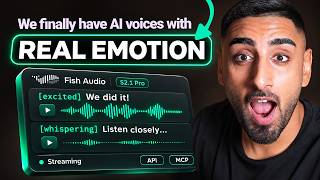
示範如何使用 Fish Audio S2.1 Pro 為 AI 應用程式注入真實情感,涵蓋從耳語、興奮到笑聲等多種情緒控制。講者將展示如何透過 API 與 MCP 整合,建立具備多語言對話能力的語言家教,並利用語音克隆技術修復錄音錯誤,讓 AI 互動更自然人性化。
This tutorial demonstrates how to inject real emotions into AI apps using Fish Audio S2.1 Pro, covering everything from whispering to laughter, and shows how to build a multilingual language tutor via API and MCP integration.
摘要、重點與章節標題由語言模型整理,細節(誰說的、數字、先後)可能有誤;要引用請以原始內容為準。
重點
- 透過方括號指令在文字中直接控制語音情緒與音效。
- 示範語音克隆技術修復錄音錯誤,無需重拍。
- 整合 MCP 與 Next.js 建立多語言翻譯與語音家教 Demo。
章節
依話題轉折切分,標題由 AI 產生
- 00:00Intro
- 00:56What is Fish Audio S2.1 Pro
- 01:49What we're building & API vs MCP billing
- 02:52Getting started with Fish Audio
- 03:24Testing emotion cues and multiple speakers
- 04:49Comparing the paid Drama 3 model
- 05:24Testing my cloned voice
- 06:27Introducing the Sona language tutor demo
- 07:23Live German conversation demo
- 09:54Create an API key and test your first request
- 11:10Install Fish Audio coding-agent skills
- 12:55Connect and authenticate Fish Audio MCP
- 13:59Verify the MCP connection and tools
- 15:05Prompt a Next.js translation app
- 16:04API keys, translation and streaming speech
- 17:46Implement emotion controls using the docs
- 18:23Skills vs MCP and voiceover pickups
- 20:04Test the translation app and emotions
- 21:40Listen to my generated voiceover
- 22:22Live French conversation demo
- 24:51Explore voices, languages and accents
- 25:45Checking usage, pricing and the free model
- 26:50Outro
提到的工具與公司
適合誰看
適合希望為 AI 應用程式或自動化流程加入自然語音與情感表達的開發者。
摘要依據
- 依據
- 自動字幕
為什麼排在這裡
- 人氣
- 0.81
- 新鮮
- 0.98
在主題頁與搜尋結果裡,名次由相關、人氣、新鮮三個分數決定;這一頁沒有搜尋的關鍵字,所以沒有相關分數。排序怎麼算
相關內容
- I Write My Own Stage Directions Now文章 ・ Daniel Miessler ・
- AI Dev 26 x SF | Ashwyn Sharma: Every App Needs a Voice UI. Here's How to Build It影片 ・ DeepLearningAI ・ 16 分鐘 ・
- Python Voice Agent Tutorial: Clone Your Voice & Talk to AI影片 ・ Tech With Tim ・ 16 分鐘 ・
- JavaScript 語音辨識,使用原生 Web Speech API 做 Speech to Text 功能應用 #教學 #課程 #人工智慧影片 ・ 彭彭的課程 ・ 12 分鐘 ・
- Voice for AI Agents and Applications影片 ・ DeepLearningAI ・ 2 分鐘 ・
- 一个 Skill 就搞定:用克隆声音 + HyperFrames做视频影片 ・ 五里墩茶社 ・ 6 分鐘 ・
這個來源最近的內容
- 🟢 Build a Coupon Code & Deal Finder AI Extension! | Beginner Series Ep#25 (Billing, Agents, Oxylabs) ・ 影片 ・ 2 小時 47 分
- Turn ANY Vibe-Coded App Into an Enterprise App using this Tool! (Full Beginner Tutorial) ・ 影片 ・ 28 分鐘
- 🟢 Build an LMS Platform that has an AI Teacher! | Beginner Series Ep #24 (Mux, Billing, AI Agents) ・ 影片 ・ 4 小時 6 分
摘要由 AI 根據原文產生,可能有誤;完整內容請看原站。看影片(在新分頁開啟原站)