影片進階EN4.3 萬 次觀看
I Built AI Agents & Workflows I Don't Have to Babysit (Replaced Hermes for My Whole Team) | Tutorial
來源 Sonny Sangha
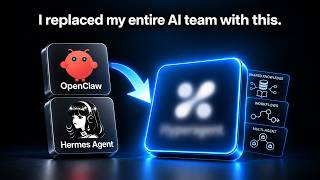
看影片(在新分頁開啟原站)連到 YouTube・Sonny Sangha
摘要
作者 Sonny Sangha 示範如何用 Hyperagent 建立三員 AI 團隊(Riley 研究、Casey 編輯、Morgan 協調),取代原本需他個人介入的 Hermes 流程。影片涵蓋從設定模型與權限、整合 Slack 與 Kajabi,到排程自動執行與團隊權限管理,讓團隊能自主維護流程。
Sonny Sangha demonstrates building a three-agent AI team with Hyperagent to automate research and newsletter workflows, replacing manual oversight and enabling team autonomy through Slack and Kajabi integrations.
摘要、重點與章節標題由語言模型整理,細節(誰說的、數字、先後)可能有誤;要引用請以原始內容為準。
重點
- 建立專職 AI 代理並設定權限與工具整合
- 透過 Slack 與 Kajabi 實現自動化新聞稿流程
- 讓團隊成員具備自主修復與監控能力
章節
依話題轉折切分,標題由 AI 產生
- 00:00Intro
- 02:14Getting started with Hyperagent
- 02:43Our existing AI team and newsletter workflow
- 03:52Agent settings, integrations and shared knowledge
- 06:11Why our previous setup depended on me
- 07:46Daily research and morning Slack briefings
- 09:00Talking to the research agent in Slack
- 10:04How agents delegate and hand off work
- 11:26Build your own three-agent team
- 11:58Create Riley, the research agent
- 15:49Create Casey, the newsletter editor
- 17:35Create Morgan, the publishing coordinator
- 19:33Delegation permissions and Live Mode
- 20:31Run the research-to-newsletter workflow
- 22:46Connect coding tools through Hyperagent MCP
- 23:40Review the newsletter and approval step
- 25:07Approve the draft and improve research reuse
- 27:17Check the finished Kajabi draft
- 28:49Schedule daily research and weekly newsletters
- 30:47Skills, memories and learning suggestions
- 33:41Explore the agent marketplace
- 33:59Monitor runs and costs in Command Center
- 34:34Give your team access and control
- 35:54Final thoughts
提到的工具與公司
- Hyperagent
- Kajabi
- Slack
- Opus 5.5
- Claude Code
適合誰看
適合希望建立可維護的 AI 工作流或管理團隊自動化任務的技術人員與管理者。
摘要依據
- 依據
- 自動字幕
為什麼排在這裡
- 人氣
- 0.75
- 新鮮
- 0.81
在主題頁與搜尋結果裡,名次由相關、人氣、新鮮三個分數決定;這一頁沒有搜尋的關鍵字,所以沒有相關分數。排序怎麼算
相關內容
- Build your Own AI Agent Team the EASY way without a VPS/Mac mini (Full setup tutorial for Beginners)影片 ・ Sonny Sangha ・ 33 分鐘 ・
- How to Build Your Own AI Agent Team From Scratch影片 ・ Tech With Tim ・ 15 分鐘 ・
- Working With Agents in Slack影片 ・ Every ・ 54 分鐘 ・
- The Agent Left the Workflow: Building n8n Agents影片 ・ n8n ・ 50 分鐘 ・
- Introducing Perplexity teammates影片 ・ Perplexity ・ 1 分鐘 ・
- I Hired an AI Employee Named Viktor. Here’s What It Actually Did影片 ・ Tech With Tim ・ 18 分鐘 ・
這個來源最近的內容
摘要由 AI 根據原文產生,可能有誤;完整內容請看原站。看影片(在新分頁開啟原站)